How To Generate Your Creator Rewind With Favikon
In this guide, we will walk through every step from installing the extension to exporting your visuals.
.png)

How To Generate Your Creator Rewind With Favikon
Your creator year is packed with milestones, growth, and unexpected highlights. Favikon turns all of that into a clean Creator Rewind that you can share instantly on social media. It is fast, simple, and made to showcase your year with impact.
In this guide, we will walk through every step from installing the extension to exporting your visuals. If you have already claimed your Favikon profile before, you can skip the claiming step and go straight to generating your Creator Rewind.
Step 1: Go to Rewind Page
Start by visiting this page.
Step 2: Enter your name & Choose Social Media
Enter your email & choose the social media for which you wish to generate the rewind.
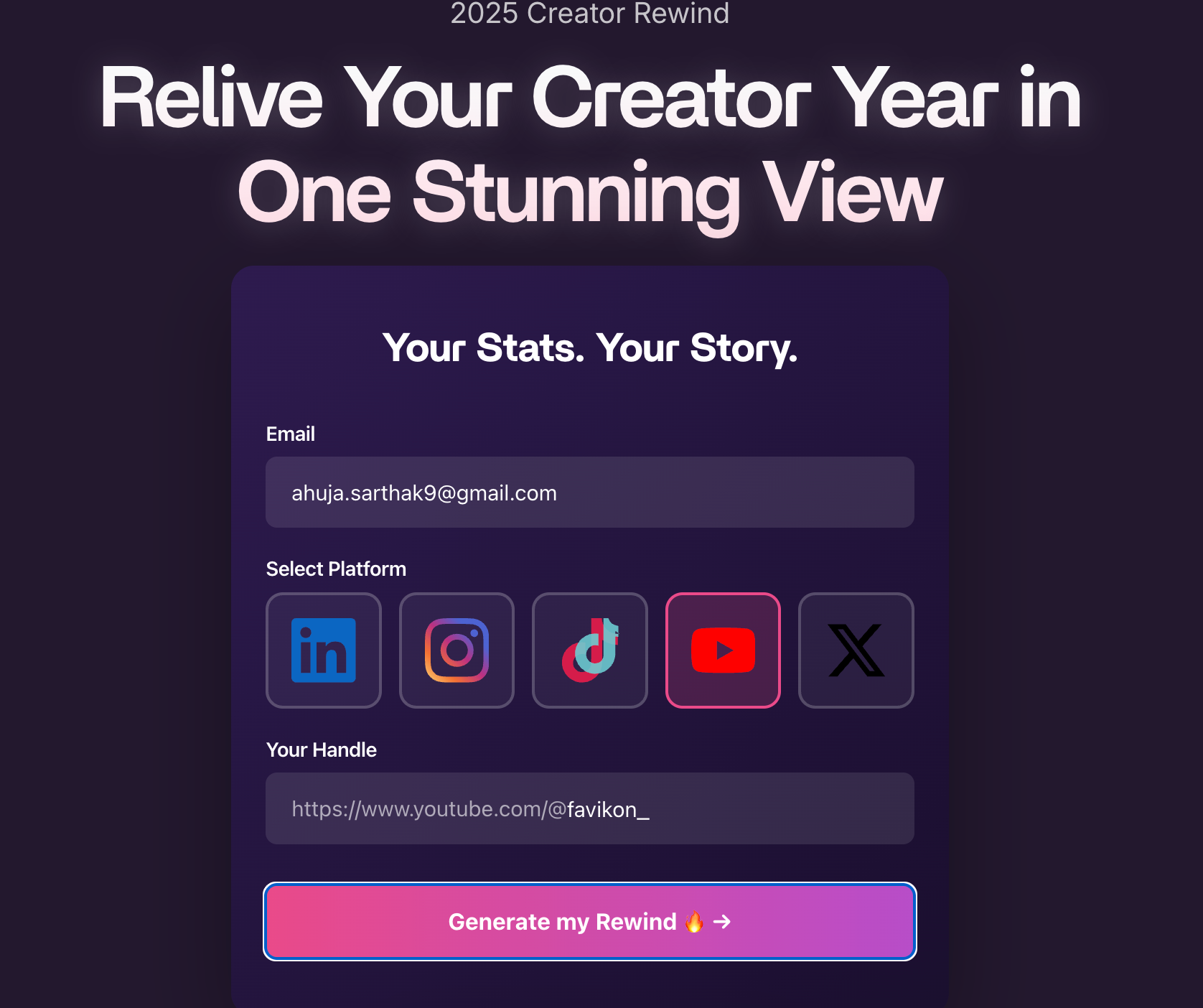
.
Step 3: Enter your Social Media handle
Enter only the part that comes after the main social media domain.For example, if your full URL is https://www.instagram.com/john.doe you should enter onlyjohn.doe
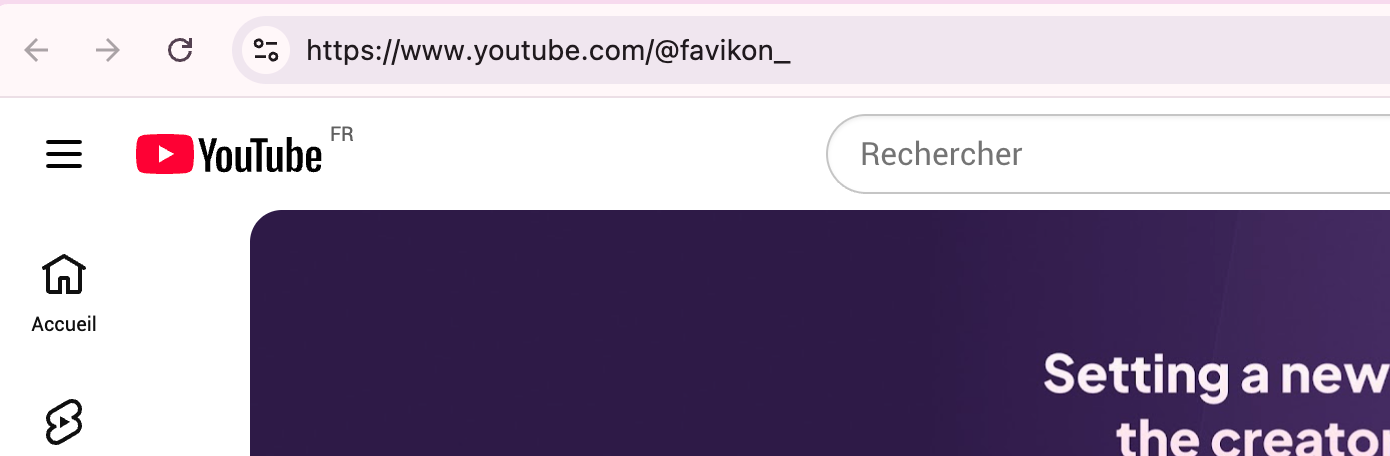
.
Step 4: Click Generate My Rewind
Step 5: Choose your format and customize your slides
Inside the Creator Rewind tool, you can customize the visuals to match how you want to present your year.
You can:
- Choose post layout or story layout depending on where you plan to share.
- Remove or add specific slides to highlight what matters most.
- Preview the sequence so everything feels accurate and aligned with your journey.
Take a moment to fine tune the rewind before downloading.
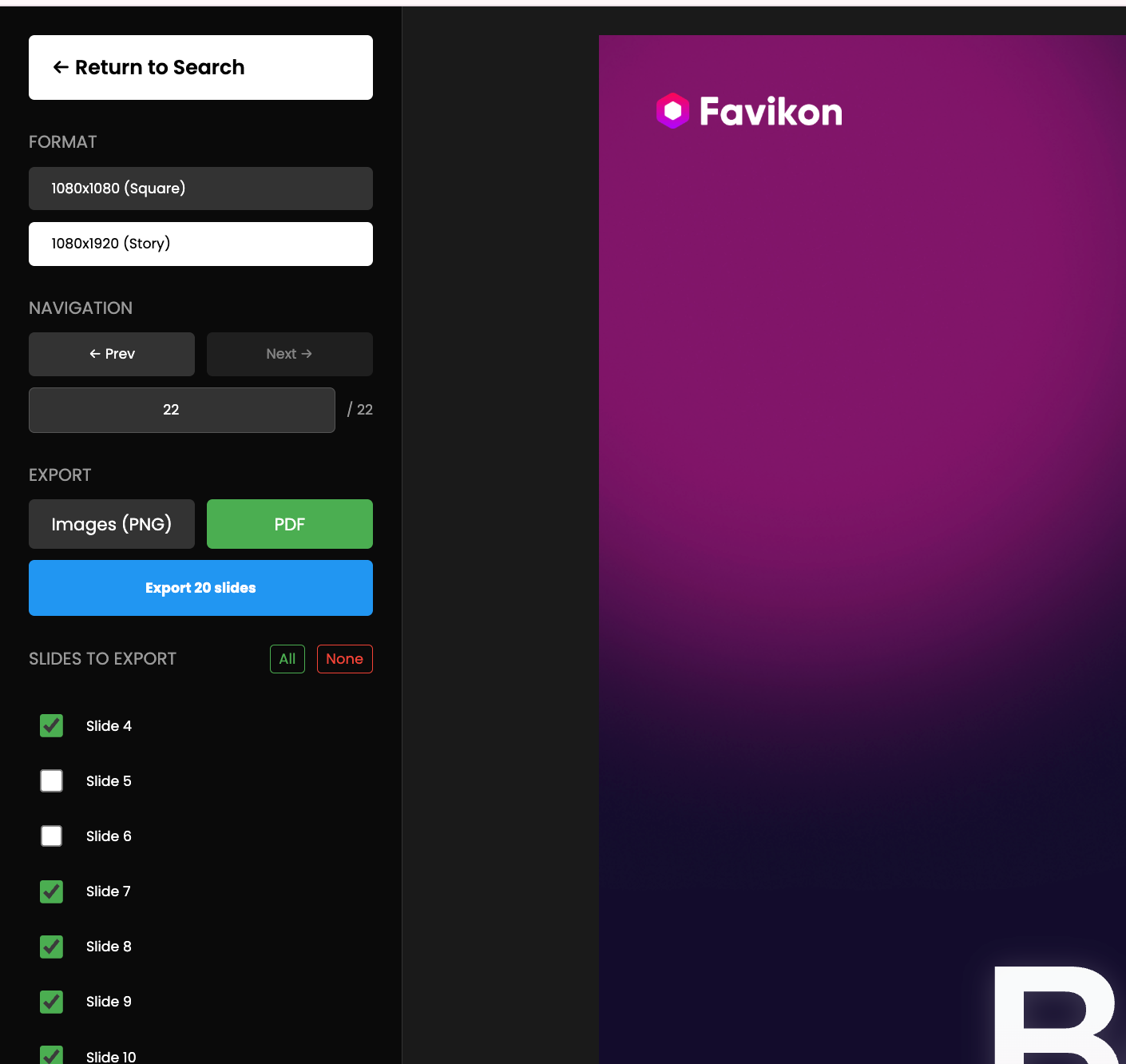
Step 6: Export your Creator Rewind as PDF or PNG
Once your slides look final, choose your export format.
You can:
- Download a PDF for a document style summary.
- Download PNG files for individual slides ready to post on social media.
Click the download button and your Creator Rewind will be generated instantly.
Your Creator Rewind is ready to share
That is all it takes. With just a few quick steps, you can create a polished Creator Rewind that captures the best parts of your year.
Share it on Instagram, LinkedIn, X, or anywhere your audience is, and give them a clear picture of everything you achieved as a creator this year.
Others articles